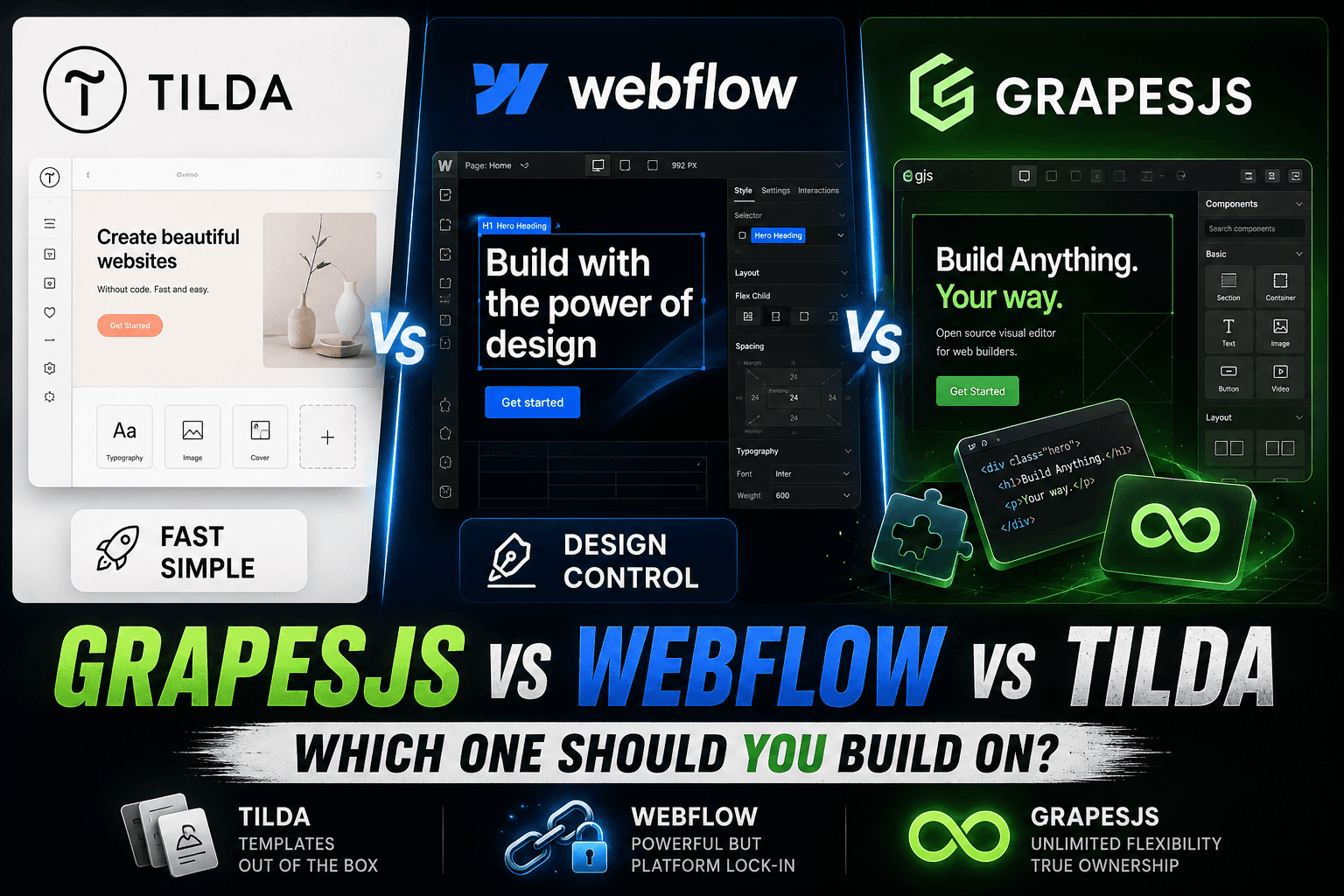

Choosing a website platform in 2026 isn't just a tooling decision — it's a decision about how much you'll spend over the next three years, how much control you'll have over your own site, and whether you'll hit a ceiling six months from now.
This guide compares GrapesJS,Webflow, and Tilda the way a developer and a business owner would together: real 2026 pricing, what each platform actually does well, where each one breaks down, and how to pick based on where your project is heading — not where it is today.
We build on GrapesJS for a living, but we've shipped projects on all three. Where Webflow or Tilda is the better answer, we'll say so.
TL;DR — Which One Should You Pick?
- Pick Tilda if you need a landing page or simple business site live this week and you're fine never owning the code.
- Pick Webflow if you're a marketing team or agency building a content-heavy site and you have the budget to grow into it.
- Pick GrapesJS if you're building a product (SaaS, marketplace, white-label editor, internal tool) where the websiteisthe platform — and vendor lock-in would kill you later.
If you're not sure yet, the comparison table below will narrow it down in 60 seconds.
GrapesJS vs Webflow vs Tilda: Quick Comparison Table
| Criterion | GrapesJS | Webflow | Tilda |
|---|---|---|---|
| Type | Open-source framework | Hosted no-code platform | Hosted no-code builder |
| Entry price | Free (self-hosted) | $15/mo (Basic site plan) | $15/mo (Personal) |
| Realistic monthly cost | Hosting + dev time | $25–$212+/mo with add-ons | $15–$25/mo |
| Learning curve | High (needs dev) | Medium–high | Low |
| Code export | Always (you own it) | Yes, on $19+/mo Workspace | Yes, on Business plan ($20/mo) |
| Custom backend logic | Unlimited | Limited (Logic + APIs) | Very limited |
| Built-in CMS | Build your own | Yes (strong) | Yes (basic) |
| SEO controls | Full (you control everything) | Excellent | Good |
| Vendor lock-in | None | High | High |
| Best for | SaaS, custom platforms, white-label editors | Marketing sites, agencies, CMS-driven content | Landing pages, MVPs, simple business sites |
| Worst for | Quick one-off landing pages | Apps with complex backend logic | Anything you plan to scale into a product |
Sources: Webflow's published 2026 pricing, Tilda's published 2026 pricing, GrapesJS open-source documentation. Webflow prices reflect the May 2026 pricing simplification.
What Each Platform Actually Is
It's tempting to lump these three together as "website builders," but they're three different categories of tool. That's the source of most bad decisions people make here.
GrapesJS — A framework for building your own builder
GrapesJS is an open-source JavaScript framework. It gives you the drag-and-drop editor primitives — block manager, style manager, layer panel, asset uploader, code export — and you assemble them into whatever editor your product needs.
Think of it as the engine inside something like Webflow or Tilda. Companies use it to build:
- Internal CMS editors for non-technical staff
- White-label site builders sold to clients (agencies do this a lot)
- The "page builder" inside a SaaS product
- Custom email or newsletter editors
- Replacement editors for legacy CMS platforms
It's not a "use it on Tuesday" tool. It's a foundation. The trade-off: full ownership and no monthly tax forever, but you need a developer.
Webflow — Visual development for professionals
Webflow is a hosted platform that gives designers and marketers something close to the power of writing HTML/CSS without writing it. The visual editor maps almost 1:1 to the DOM, so what you build is genuinely production-grade.
Where it shines: marketing sites, content-heavy CMS sites, agencies building client projects, and teams that want design control without a frontend developer in the loop.
Where it strains: app-like functionality. Webflow Logic and external APIs let you do more than before, but it's not a place to build a SaaS dashboard.
Tilda — Speed and simplicity
Tilda is built around a library of 550+ pre-designed blocks. You stack blocks vertically, swap copy and images, connect a domain, ship. There's a Zero Block mode for custom design, but the platform's gravity pulls you toward the block library.
For a landing page, a course site, a small business homepage, or an event microsite, this is genuinely fast. For anything beyond that, you'll feel the walls.
Pricing Breakdown: What You'll Actually Pay in 2026
Sticker prices on builder websites are not what most teams end up paying. Here's the real picture.
Tilda — $0 to ~$25/month
- Free— one site, Tilda subdomain, limited blocks
- Personal — $15/month(was $10 historically; raised in recent updates) — full block library, custom domain, 1 site
- Business — $20/month— 5 sites, code export, Tilda CRM, removal of Tilda branding
Hidden costs are minimal. The hidden cost is opportunity cost— when you outgrow Tilda, migrating off is painful because there's no clean equivalent on the other side.
Webflow — $15 to $200+/month per site, plus Workspace
Webflow's pricing has two layers people forget about: Site plans (per website) and Workspace plans (per team/account). Both bill separately.
Site plans (annual billing):
- Basic — $15/mo— no CMS, fine for static marketing sites
- Premium — $25/mo— 20,000 CMS items, the default for content sites under 2026 pricing
- Business / high-traffic tiers — $39 to $1,049/modepending on bandwidth and CMS items
- Enterprise— custom
Workspace plans (to actually build):
- Starter— free, limited
- Core — $19/mo— unlocks code export
- Agency — $35/mo— for client work
- Full seat — $39/mo per editor, Limited seat — $15/mo
Plus add-ons: Optimize starts at $299/mo, Localize and Analyze are usage-priced. Ecommerce Standard tier adds a 2% transaction fee.
The realistic monthly cost for a B2B marketing team is Premium site plan + Workspace + 1–3 full seats =~$80–$200/month, before add-ons. For a single freelancer with a simple site, it's $15–$40.
GrapesJS — Free, but you pay in development
The framework is MIT-licensed and free. What you pay for is:
- Initial development— anywhere from $300 for a configured editor to $15,000+ for a custom platform, depending on scope
- Hosting— typically $5–$50/mo on a VPS, or whatever your cloud bill is
- Maintenance— your dev team or a contractor
The math flips around month 12–18. A Webflow site at $80/mo costs ~$2,900 over three years. A custom GrapesJS implementation at $5,000 upfront with $20/mo hosting costs ~$5,720 — but you own it, can resell it, can run it on your infrastructure, and there's no rug-pull risk if a pricing page changes.
For a single landing page, GrapesJS is overkill. For a product, it pays for itself.
SEO Capabilities: Where Each Platform Stands
This is the section the original comparison crowd usually skips. It's the wrong section to skip.
Tilda SEO
Tilda covers the basics well: meta titles and descriptions per page, Open Graph, sitemap.xml, robots.txt, structured data on some block types, alt text fields, and reasonably clean output HTML.
Limitations: limited control over schema markup outside of pre-defined types, no native server-side rendering customization, slower Core Web Vitals on heavy pages (the block system carries CSS overhead), no easy 301 redirect manager on lower tiers, and you don't control hosting headers (caching, security headers).
For a small business site that needs to rank for local or low-competition queries, Tilda is fine. For competitive SEO, you'll hit ceilings.
Webflow SEO
Webflow is one of the strongest hosted platforms for SEO. You get full control over titles, descriptions, OG tags, canonical URLs, schema markup via embedded code, automatic sitemap, native 301 redirects on paid plans, clean semantic HTML output, and excellent Core Web Vitals out of the box thanks to the CDN.
Limitations: schema markup is manual (no UI for it), CMS-collection URL structures are rigid (you can't always get the slugs you want), and at scale, the hosted nature means you can't tune server response beyond what Webflow exposes.
For 90% of marketing sites, Webflow SEO is genuinely excellent. For programmatic SEO at scale (thousands of pages), it gets expensive and constrained.
GrapesJS SEO
Because you control everything — the framework, the backend, the rendering pipeline, the hosting — there is no SEO ceiling. You can:
- Server-side render or static-generate every page
- Control every header, every schema type, every redirect rule
- Implement programmatic SEO at any scale
- Optimize Core Web Vitals to whatever level your engineering team can deliver
- Add edge caching, image optimization, and i18n exactly how you want
The flip side: SEO doesn't come built-in. You implement it. For teams without development resources, this is a non-starter. For teams with developers, this is the entire point.
Real-World Scenarios: Which Platform Fits Which Project
Scenario 1: A coach launching a personal brand site this month
Best fit: Tilda.One page, fast launch, custom domain, $15/mo, done by Friday. Webflow would work but is overkill. GrapesJS would be malpractice.
Scenario 2: A B2B SaaS marketing site with a blog and 200 programmatic landing pages
Best fit: Webflow.The CMS handles the blog and templated pages cleanly, design control is excellent, and SEO infrastructure is solid. Budget $80–$150/month and you're set. Switch to GrapesJS only if you outgrow Webflow's CMS limits or want full programmatic-SEO control.
Scenario 3: An agency that wants to give clients a controlled editor
Best fit: GrapesJS.White-label, your branding, your pricing, no per-client Webflow Workspace fees, and you keep the recurring revenue instead of forwarding it to a vendor. Initial build cost pays back fast.
Scenario 4: A SaaS product where users build pages, dashboards, or emails inside your app
Best fit: GrapesJS, by a wide margin.This is what the framework is designed for. Embed it in your product, configure the blocks for your domain, and ship. Webflow and Tilda are not in the running here — they're products, not embeddable editors.
Scenario 5: A marketplace or directory with thousands of dynamic listings
Best fit: GrapesJS or a custom stack (Next.js + headless CMS).Webflow's CMS caps and Tilda's block structure don't fit. The decision becomes "do we want a visual editing layer" — if yes, GrapesJS. If editors won't touch the site, skip GrapesJS and go fully custom.
Migration Paths: How Teams Move Between Platforms
Most real comparisons happenaftersomeone has already chosen wrong. Here's what the moves actually look like.
Tilda → Webflow
Common move when a brand outgrows the block system. Webflow's export gives clean HTML/CSS that you'd rebuild visually. Plan 2–6 weeks depending on site size. Watch out for: Tilda forms and CRM integrations need to be rebuilt; SEO requires a full redirect map; image assets need re-uploading.
Tilda or Webflow → GrapesJS
Triggered usually by one of three things: vendor lock-in becoming a board-level concern, scaling costs hitting absurd levels, or the product needing an embedded editor that hosted platforms can't provide.
This is closer to a rebuild than a migration. The right approach: take the design, rebuild the components as GrapesJS blocks, port content via the CMS API, and design URL structure carefully so 301s preserve SEO equity. Budget 4–12 weeks depending on complexity.
Webflow → Webflow Enterprise
Worth mentioning because many teams discover this is the actual cost ceiling. If you're hitting Webflow's bandwidth or CMS limits, the next tier is often a 3–10× pricing jump. That's frequently the moment teams reconsider whether they should have built on something they own.
When NOT to Use a Website Builder at All
These project types are where hosted builders break down and either GrapesJS or a custom stack is the right call:
- SaaS products— your app's editor or page builder needs to live inside your product, not outside it
- Marketplaces— dynamic content at scale, complex search, user-generated pages
- Custom dashboards and internal tools— no design freedom matters more than data and logic
- Embedded page builders for clients— agencies and platforms reselling editing capability
- Programmatic SEO at scale— when you need to generate 10,000+ pages from a database
- Anything with non-trivial backend logic— multi-step workflows, role-based access, complex integrations
If any of those describe your project, the question is GrapesJS vs custom — not which builder.
The Biggest Mistake Businesses Make
The mistake is asking "which platform is easier to use?" when the right question is "which platform will I still want to be on in 18 months?"
Easy-to-start is cheap. Hard-to-leave is expensive. Tilda and Webflow are both easy to start. The exit cost is what most teams don't price in until they're paying it.
A simple test: if your business doubled tomorrow, would your current platform still fit? If the answer makes you pause, you're on the wrong platform — or you should have a migration plan in your back pocket.
Final Verdict: GrapesJS vs Webflow vs Tilda in 2026
There's no universal winner here. There's a right tool for each shape of project:
- Tilda is the right call for landing pages, MVPs, and simple business sites where time-to-launch beats ownership. Honest about its limits, fairly priced, and pleasant to use.
- Webflow is the right call for marketing-led companies, agencies, and CMS-driven content sites. The 2026 pricing simplification helps; the add-on layer still adds up. Excellent design and SEO, real ceilings on app-like functionality.
- GrapesJS is the right call when the editor is part of your product, when you need a white-label builder, or when long-term ownership matters more than short-term convenience. Higher upfront cost, much lower total cost of ownership for the right use cases.
Builders are convenient. Ownership is durable. The right answer depends on which one your business actually needs.
Frequently Asked Questions
Is GrapesJS better than Webflow? Not universally. GrapesJS is better when you need to embed a page builder in your own product, build a white-label editor, or avoid vendor lock-in entirely. Webflow is better when you need a polished marketing site shipped without development.
Is Tilda good for SEO in 2026? Tilda covers SEO basics well — meta tags, sitemaps, alt text, OG tags, and reasonably clean HTML. Limitations show up around schema flexibility, redirect management on cheaper plans, and Core Web Vitals on heavy pages. Fine for low-competition queries; constrained for competitive SEO.
Can you export code from Webflow and Tilda? Yes for both, but on paid tiers. Webflow needs a Core ($19/mo) or higher Workspace plan to unlock code export. Tilda's Business plan ($20/mo) includes source code export. GrapesJS doesn't need export — you already own the code.
Is GrapesJS actually free? The framework is free and MIT-licensed. You pay for development time, hosting, and maintenance. There's no per-month license fee, no per-seat fee, no traffic-based pricing.
Can you build a SaaS on Webflow or Tilda? Not really. Both are designed as website builders, not application platforms. You can build a marketing site for your SaaS on either, but the product itself — dashboards, user accounts, billing flows, the app's own editor — needs a real frontend stack. GrapesJS is purpose-built for the embedded-editor case inside SaaS products.
What's the best Webflow alternative for agencies? Depends on what you're optimizing for. For lower cost on simple client sites: Tilda or WordPress. For ownership and resale potential: GrapesJS, which lets you build a white-label editor your clients use under your brand and your pricing.
What's the best Tilda alternative in 2026? For staying in the same "easy hosted builder" category: Webflow is the natural step up. For escaping hosted builders entirely: GrapesJS gives you ownership but needs a developer.
Which platform has the lowest long-term cost? Over a 3-year horizon, GrapesJS typically wins for any project beyond a single small site, because the hosted monthly fees on Webflow or Tilda compound. Under one year, Tilda wins on raw cost. Webflow sits in the middle.
Need a GrapesJS Build or a Migration?
If you're considering GrapesJS for a SaaS product, a white-label editor, or a migration off Webflow or Tilda, we do this for a living.
- Custom GrapesJS editors configured for your product
- White-label site builders for agencies
- Migrations from Webflow or Tilda to a fully owned stack
- Plugin development and integrations
Or browse 100+ GrapesJS plugins and presets in the marketplace.