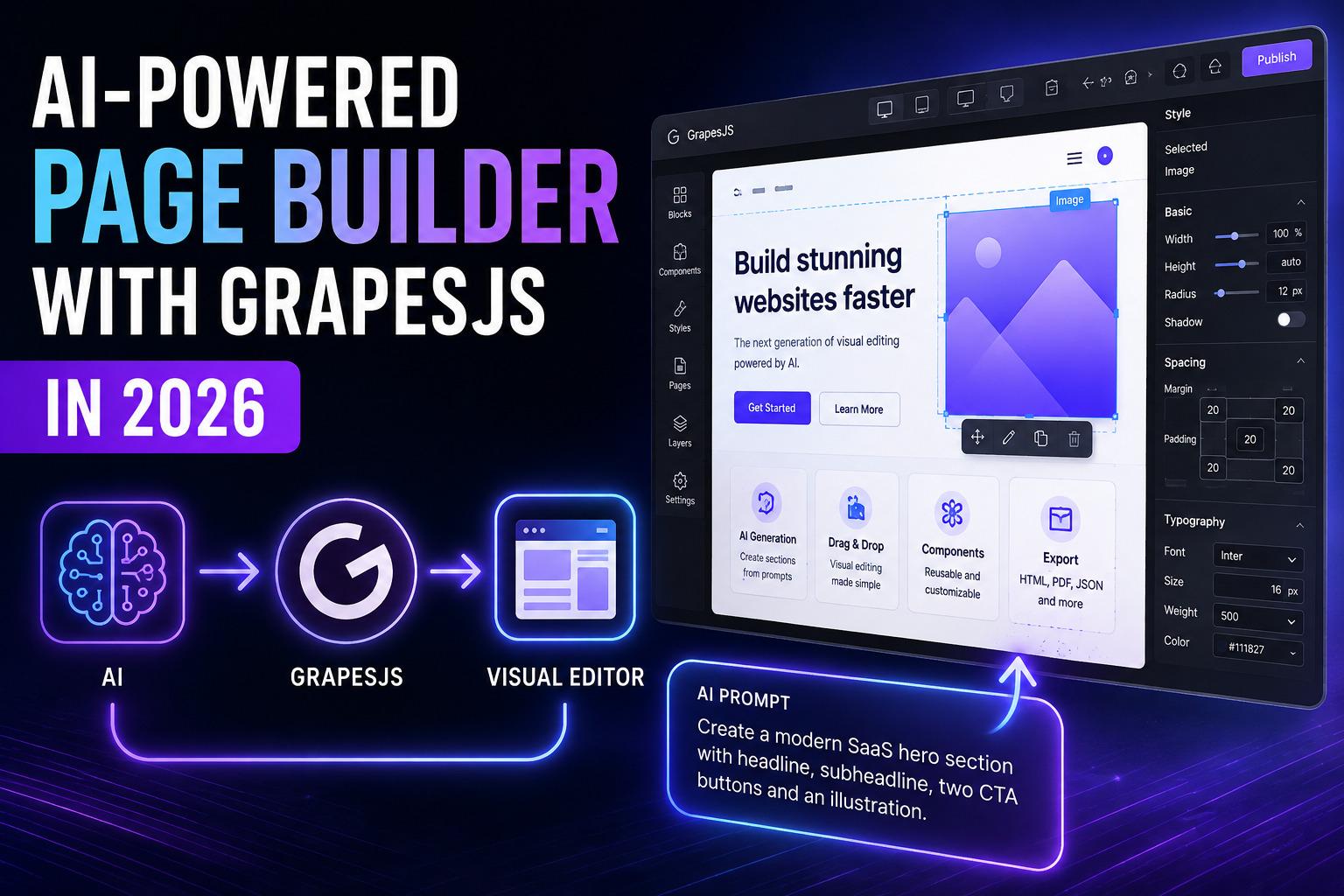

La IA puede generar una página de aterrizaje en segundos.
Esa parte ya no impresiona.
La parte difícil empieza cuando haces una pregunta diferente:
¿Puede la IA realmente entender la página que estás editando?
¿Puede modificar una sección sin romper el resto del documento? ¿Puede preservar tus variables? ¿Puede traducir una página existente sin destruir su diseño? ¿Puede generar una nueva sección que funcione como un componente nativo dentro del editor?
Estos son los problemas que encontramos al construir GJSDocs, un editor visual de documentos impulsado por IA basado en una experiencia de edición basada en GrapesJS.
En este artículo, repasaremos la arquitectura detrás de un editor visual impulsado por IA, qué funcionó, qué no y las lecciones que aprendimos al construirlo para producción.
La diferencia entre un generador de IA y un editor de IA
Hay dos productos muy diferentes que a menudo se llaman "creador de páginas con IA".
El primero se ve así:
Prompt ↓ AI ↓ HTML ↓ Preview Introduces:
"Crear una página de aterrizaje SaaS moderna."
El modelo genera HTML y CSS.
En una demo se ve impresionante.
¿Pero qué ocurre después?
Quieres cambiar la sección de precios.
Quieres traducir al héroe.
Quieres reemplazar el CTA.
Quieres cambiar el espacio.
Quieres conectarte {customer.name} a tu CRM.
Ahora vuelves a editar la página manualmente.
El segundo enfoque es mucho más interesante:

Aquí la IA no reemplaza al editor visual.
La IA se convierte en otra forma de controlar al editor.
Esa distinción se convirtió en una de las decisiones arquitectónicas más importantes que tomamos al construir GJSDocs.
Por qué elegimos GrapesJS
Cuando construyes un editor visual desde cero, el lienzo es solo el principio.
Necesitas:
gestión de componentes;
arrastrar y soltar;
selección;
estilos;
comportamiento receptivo;
deshacer/rehacer;
bloques;
serialización;
almacenamiento;
interacciones con teclado;
plugins;
órdenes;
gestión de activos;
y una forma de que todo funcionara en conjunto.
Construir todo eso tú mismo es caro.
GrapesJS te da el motor de edición y te permite construir tu propia experiencia de producto alrededor de él.
Ese es exactamente el tipo de arquitectura que queríamos para GJSDocs.
Lo importante es que GrapesJS no necesita saber que la IA existe.
Tu aplicación se convierte en la capa de orquestación.

Esta separación es extremadamente útil.
El editor gestiona el estado visual.
Tu aplicación gestiona la lógica de negocio.
La capa de IA traduce el lenguaje natural en operaciones estructuradas.
La arquitectura de un editor de GrapesJS impulsado por IA
Nuestra arquitectura puede simplificarse en cinco capas.
1. Editor
El lienzo GrapesJS contiene el documento real.
2. Contexto
Recopilamos la información que la IA necesita para entender lo que el usuario está editando actualmente.
3. Proveedor de IA
La solicitud puede enviarse a un LLM como OpenAI, Gemini o Claude.
4. Salida estructurada
El modelo devuelve una estructura predecible en lugar de HTML arbitrario.
5. Adaptador de editor
La aplicación convierte esa estructura en GrapesJS componentes.
El flujo completo es así:

El Constructor de Contexto es una de las piezas más importantes.
Sin contexto, la IA está conjeturando.
Con contexto, la IA es la edición.
Paso 1: Da acceso a la IA al contexto del editor
Un error común es enviar solo el prompt del usuario al modelo.
Por ejemplo:
Translate this section to Spanish. La IA no tiene ni idea de lo que significa "esta sección".
En su lugar, podemos enviar algo conceptualmente similar a:
{ instruction: "Translate this section to Spanish", scope: "selection", document: { title: "Sales Proposal", page: 2 }, selection: { type: "section", html: "...", text: "...", components: [...] }, variables: [ "client.name", "company.name", "proposal.total" ] } Ahora el modelo tiene un contexto significativo.
Sabe:
lo que seleccionó el usuario;
a qué página pertenece;
de qué trata el documento;
qué variables existen;
y qué operación solicitó el usuario.
Esto marca una gran diferencia.
Paso 2: No pidas a la IA que devuelva HTML aleatorio
Esta fue otra lección importante.
La implementación más sencilla es:
Prompt → AI → HTML string Pero crea problemas.
El HTML generado puede contener:
estructura inválida;
CSS inesperado;
envoltorios innecesarios;
estilos que entran en conflicto con el documento existente;
guiones;
elementos sin soporte;
o contenido que no se pueda editar fácilmente después.
Una mejor arquitectura es:

Por ejemplo:
{ "type": "section", "layout": "three-column", "heading": "Choose your plan", "columns": [ { "title": "Starter", "price": "{pricing.starter}" }, { "title": "Pro", "price": "{pricing.pro}", "featured": true }, { "title": "Business", "price": "{pricing.business}" } ] } Tu aplicación decide entonces cómo esta estructura se asigna a los componentes reales del editor.
Esto te da mucho más control.
Paso 3: Deja que la IA genere componentes, no solo contenido
Una vez que la salida de la IA está estructurada, podemos usarla para mucho más que la redacción publicitaria.
Por ejemplo, un usuario podría preguntar:
Crea una sección de precios de tres columnas con planes de iniciación, pro y negocio. Haz que Pro sea la opción destacada.
La IA puede devolver una representación estructurada de esa sección.
Tu adaptador de editor lo convierte en:

Ahora bien, el resultado generado no es solo un fragmento de HTML.
Es una estructura de documento realmente editable.
Ese es un modelo mucho más potente.
Paso 4: Introduce los Telescopios de IA
Una de las mejores mejoras de UX que implementamos en GJSDocs fue permitir que las operaciones de IA tuvieran un alcance.
En lugar de un enorme botón de "generar IA", piensa en:
Selección
Modifica solo lo que el usuario haya seleccionado.
Selection → AI → Selection Sección
Modifica toda una sección.
Section → AI → Updated Section Página
Transforma la página actual.
Page → AI → Updated Page Documento
Transforma todo el documento.
Document → AI → Updated Document Esto parece un detalle pequeño.
No lo es.
Reduce drásticamente el miedo del usuario a pedir a la IA que haga cambios.
Si selecciono un párrafo y pregunto:
"Hazlo más profesional."
No espero que la IA rediseñe todo mi documento.
El alcance crea un límite natural de seguridad.
Paso 5: La IA debe entender las variables
Esto se vuelve especialmente importante cuando tu editor no es solo un creador de páginas web.
Consideremos un documento empresarial que contiene:
Dear {client.name}, Thank you for choosing {company.name}. Your total is {invoice.total}. Un sistema de IA que reescribe ciegamente el HTML podría cambiar o eliminar esas variables accidentalmente.
Eso es inaceptable en una plataforma de automatización.
GJSDocs trata las variables como una capa separada.
Una plantilla puede contener:
{client.name} {client.email} {company.name} {invoice.total} La IA puede generar contenido alrededor de esas variables mientras que el sistema de variables sigue siendo responsable de resolverlas más adelante.
Esto crea una separación útil:

Esta arquitectura permite que la misma plantilla genere cientos de documentos personalizados.
Paso 6: Conectar IA con datos reales
El siguiente paso después de las variables son los datos externos.
Un creador de páginas se vuelve significativamente más útil cuando el contenido generado puede funcionar con datos reales del negocio.
Por ejemplo:

GJSDocs soporta integraciones como Airtable, HubSpot y Google Sheets, así como fuentes personalizadas de API REST.
Eso significa que el editor ya no es solo una herramienta de diseño.
Se convierte en un sistema de generación basado en datos.
Imagina un equipo de ventas creando una plantilla de propuesta una vez.
La plantilla contiene:
{client.name} {client.company} {project.name} {project.price} La aplicación recupera los datos del cliente.
La IA puede generar o reescribir las secciones adecuadas.
La plantilla se renderizó.
El documento final se exporta.
Ese es un producto muy diferente a un creador de páginas tradicional.
Paso 7: Múltiples proveedores de IA
También aprendimos que la IA no debe estar vinculada innecesariamente a un solo proveedor.
Diferentes modelos son buenos para distintas cosas.
Algunos usuarios prefieren OpenAI.
Otros prefieren Géminis.
Otros quieren a Claude.
Por esa razón, la aplicación debería exponer idealmente una abstracción de proveedor:
const ai = createAIProvider({ provider: "openai", apiKey: process.env.OPENAI_API_KEY }); Conceptualmente:

Al editor no debería importarle qué modelo generó la respuesta.
Solo debería preocuparse por el contrato:
Input → Structured Output Esto facilita mucho la evolución del sistema.
Actualmente, GJSDocs es compatible con Gemini, OpenAI y Claude para la generación y transformación de documentos impulsada por IA.
Paso 8: La IA debería poder editar contenido existente
Generar una página nueva es útil.
Editar una página existente es, sin duda, más valioso.
Imagina seleccionar un párrafo y preguntar:
Hazlo más corto.
O:
Traduce esta página al francés.
O:
Reescribe esta propuesta para un público más empresarial.
O:
Sustituye esta sección por una tabla comparativa.
Básicamente, son operaciones de edición.
El flujo de trabajo de la IA se convierte en:

Esto se parece mucho más a cómo los humanos usan realmente los editores visuales.
Paso 9: Nunca des control ilimitado a la IA
Un editor impulsado por IA no debería ejecutar ciegamente todo lo que el modelo devuelve.
Esto es especialmente importante cuando el resultado generado puede afectar a:
HTML;
CSS;
JavaScript;
URLs externas;
formas;
incrustaciones;
Llamadas API;
O datos de usuario.
Recomendamos tratar la salida de la IA como una entrada no confiable.
Validadlo.
Desinfectalo.
Limita qué componentes se pueden generar.
No permitas JavaScript arbitrarias a menos que haya una razón muy válida.
Y siempre que sea posible, utiliza una lista blanca de tipos de componentes soportados.
Por ejemplo:
const allowedComponents = [ "section", "container", "heading", "text", "image", "button", "columns", "table" ]; Si el modelo devuelve algo fuera del esquema permitido, rechazarlo o transformarlo.
El LLM debería hacer sugerencias.
Tu solicitud debe mantenerse bajo control.
La arquitectura de Page Builder con IA que recomendamos
Juntando todo:


Esta arquitectura tiene una gran ventaja:
Cada capa tiene una responsabilidad clara.
Lo que no haríamos
Después de construir un editor impulsado por IA, hay algunos enfoques que evitaríamos.
1. No generes una página entera para cada petición
Si el usuario te pide que cambies un encabezado, no regeneres todo el documento.
Las pequeñas operaciones deberían producir pequeños cambios.
2. No dependas exclusivamente del HTML en bruto
HTML es un formato de salida.
No debería ser necesariamente tu protocolo interno de IA.
Los datos estructurados te dan más control.
3. No ocultes el estado de la IA al usuario
Los usuarios deben saber qué está a punto de cambiar la IA.
Una buena experiencia de usuario puede incluir:
Avance;
diff;
deshacer;
regenerarse;
aceptar/rechazar;
Alcance de selección.
4. No dejes que la IA se convierta en la única interfaz
Algunos usuarios quieren escribir:
"Haz que el botón sea azul."
Otros quieren hacer clic en el selector de color.
Un buen editor visual debería soportar ambos.
La IA y la interfaz tradicional deberían complementarse mutuamente.
La experiencia de usuario que consideramos más importante
La lección más interesante no era técnica.
Era UX.
La IA funciona mejor cuando es contextual.
En lugar de colocar un chatbot gigante junto al editor, coloca las acciones de IA donde el usuario ya está trabajando.
Por ejemplo:

Ahora la IA se siente como parte del editor.
No es un producto aparte.
Esa distinción hace que la experiencia sea mucho más natural.
Construyendo la primera versión
No necesitas construir todo el sistema desde el primer día.
Un buen MVP solo puede tener tres operaciones de IA:
1. Generar
Prompt → New Section 2. Reescribir
Selected Content → Improved Content 3. Traducir
Selected Content → Translated Content Luego añade:
Generación de página completa
Modificación de estilo
Generación de maquetas
Extracción variable
Generación consciente de los datos
Plantillas de IA
Flujos de trabajo de IA
Lo importante es establecer la arquitectura correctamente desde el principio.
De Page Builder a Plataforma de Aplicaciones de IA
Aquí es donde las cosas se ponen realmente interesantes.
Una vez que tu IA entiende el árbol de componentes del editor, puede hacer mucho más que generar páginas.
Puede convertirse en una capa de orquestación.
Por ejemplo:
"Create a proposal for Acme Corp." Podría desencadenar eventualmente:

En ese punto, ya no estás construyendo solo un constructor de páginas.
Estás construyendo una aplicación de contenido nativa de IA.
Esa es la dirección que creemos que están tomando los editores visuales.
Lo que aprendimos construyendo GJSDocs
Construir GJSDocs cambió nuestra perspectiva sobre lo que debería ser un editor de IA.
Al principio, es tentador pensar:
"Solo necesitamos conectar un LLM con el editor."
En realidad, el modelo es solo una parte del sistema.
Los problemas difíciles son:
contexto;
estructura;
validación;
Estado del editor;
variables;
datos;
permisos;
experiencia de usuario;
y transformaciones predecibles.
El modelo de IA es la capa de inteligencia.
El editor es el entorno en el que opera esa inteligencia.
Por eso GrapesJS es una base tan interesante para este tipo de producto.
Proporciona el motor de edición visual mientras deja tu aplicación libre para construir la IA, los datos, la lógica de negocio y la experiencia de usuario a su alrededor.
Arquitectura final
Si hoy estuviéramos empezando un nuevo proyecto de GrapesJS impulsado por IA, nuestra arquitectura base sería algo así:


La pila exacta puede cambiar.
El director no.
Mantén el editor, la IA y la lógica de negocio como capas separadas.
El futuro no es IA vs. editores visuales
No creemos que la IA vaya a sustituir a los editores visuales.
Creemos que ocurrirá lo contrario.
Los editores visuales aportan a la IA algo increíblemente valioso:
un entorno estructurado para operar dentro.
Y la IA ofrece a los editores visuales algo que históricamente les ha faltado:
una interfaz en lenguaje natural para manipular estructuras complejas.
El futuro creador de páginas podría parecerse menos a:
Arrastrar → soltar → configurar → repetir
Y más bien:
"Hazme una página de precios para una empresa SaaS B2B."
Entonces:
"Haz que el plan Pro sea más destacado."
Entonces:
"Traducidlo al alemán."
Entonces:
"Conecta los precios a nuestra API."
Entonces:
"Hazlo primero en el móvil."
Y por último:
"Publáralo."
El usuario mantiene el control.
El editor visual sigue siendo la fuente de la verdad.
La IA simplemente se convierte en la forma más rápida de expresar lo que el usuario quiere.
Ese es el modelo hacia el que estamos construyendo con GJSDocs.
Conclusión final
Si estás desarrollando un producto SaaS que necesita un editor visual en 2026, no pienses en la IA como un chatbot adicional.
Piénsalo como una nueva capa de interacción para tu editor.
Empieza por GrapesJS.
Construye una capa de contexto fuerte.
Utiliza resultados estructurados de IA.
Mantén las variables y los datos separados del contenido generado.
Valida todo.
Da a los usuarios alcance y control.
Y lo más importante:
No hagas que la IA sustituya al editor. Haz que la IA entienda al editor.
Ahí es donde un creador de páginas impulsado por IA se vuelve realmente poderoso.